Step 1: Go to the Activities tab from the menu on the left.
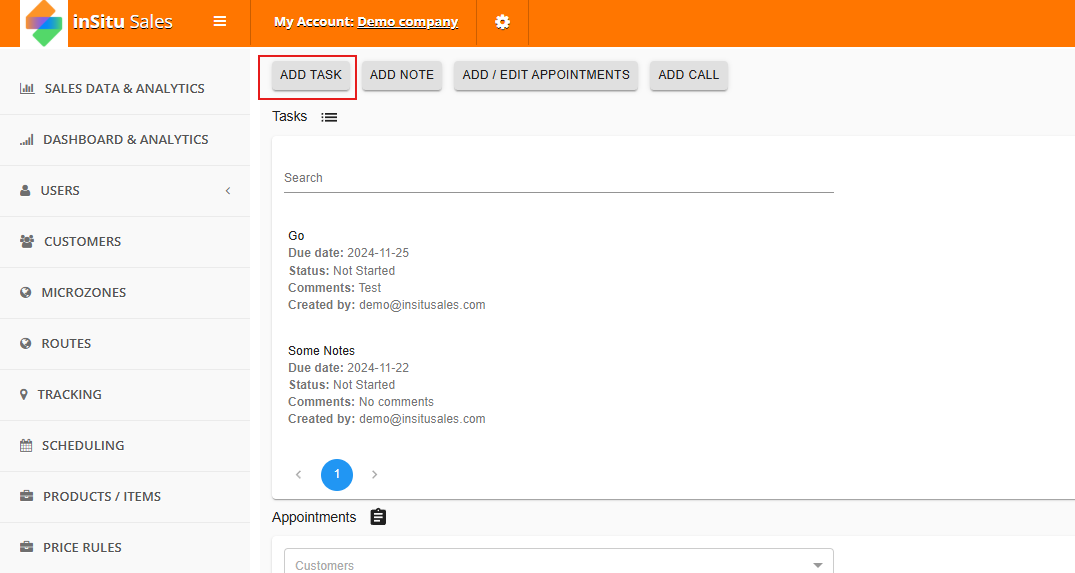
Step 2: Select 'Add Task' from the options on the top bar.
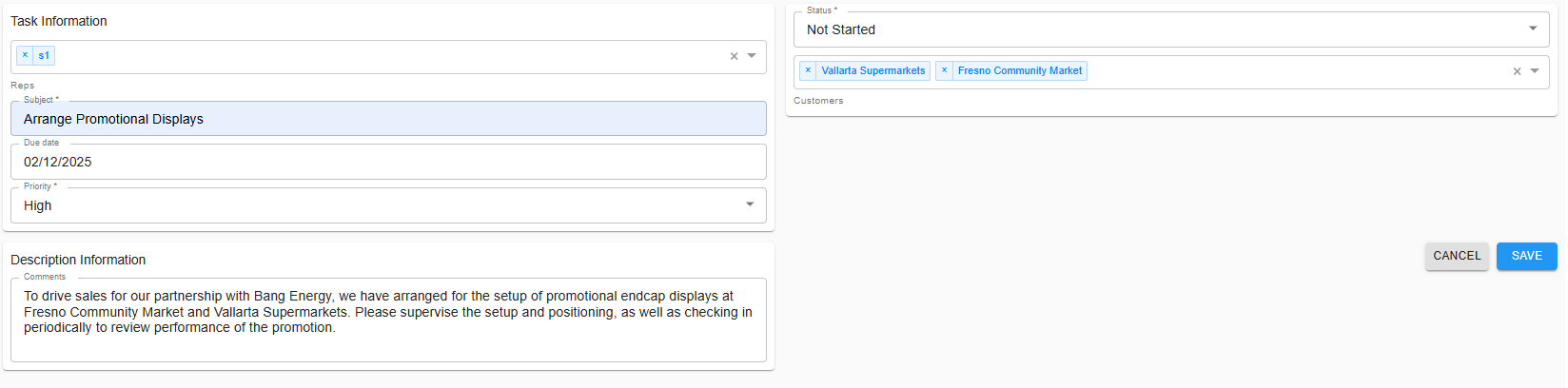
Step 3: Now you will need to fill out the requested information, namely the task's name, what reps to assign to it, the due date, the priority level, description, and what customers to assign it to. Once complete, hit Save.
Step 4: Now we will see the new task available on the list, where reps can begin completing it.
---- Rep Side ----
Step 1: Go to your Customers tab and find the account the task was assigned to.
Step 2: Open the customer account, and scroll to the bottom of the History tab until you see the Tasks section. Click on the Task to begin.
Step 3: Now you can update the task as needed to reflect updated progress.

Comments
0 comments
Please sign in to leave a comment.