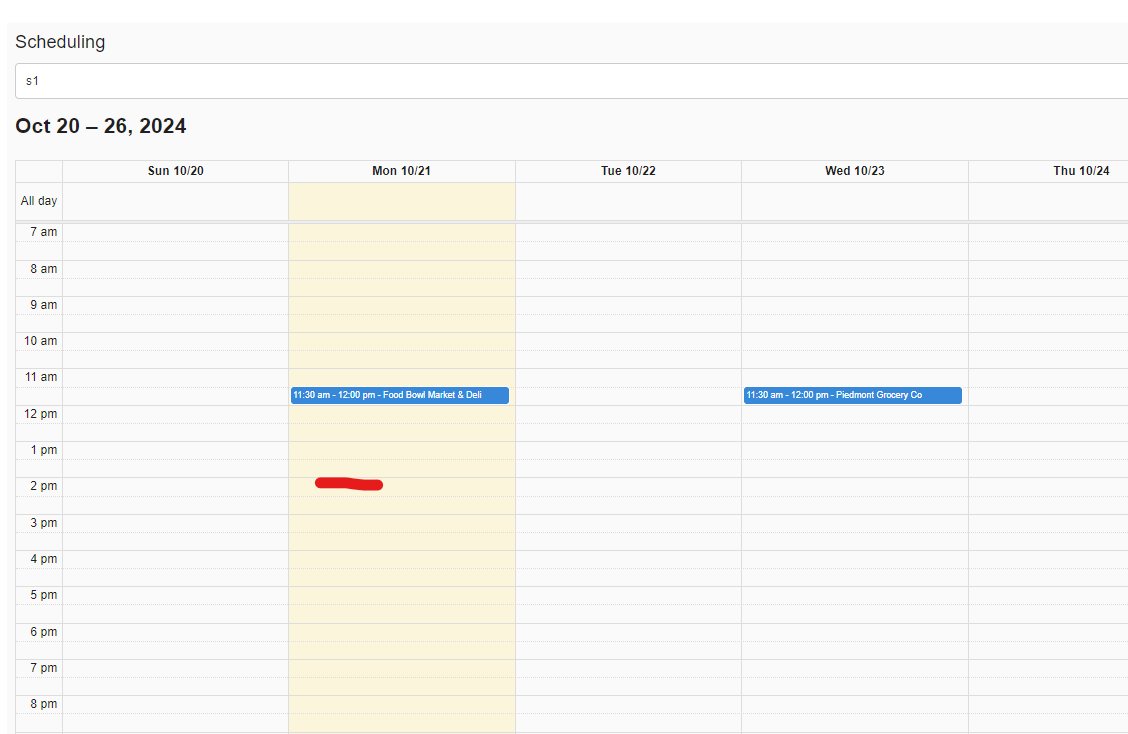
Visit the Scheduling tab on the left side of the screen.
Step 2:
Click on the text bar below where it says 'Scheduling' to select a Sales Rep you'd like to begin scheduling for.
Step 3:
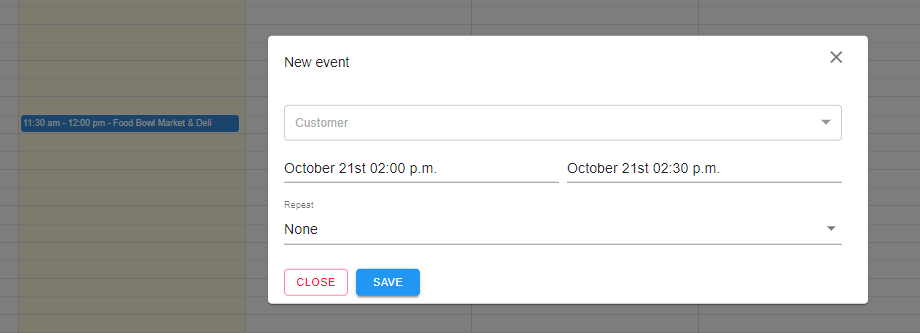
Click on any blank/available timeslot on the calendar. This will open up a window requesting information for the appointment. For this example, we've clicked on the 2pm timeslot.
Step 4:
Once the window appears, click on the text drop down box to select your customer.
Step 5:
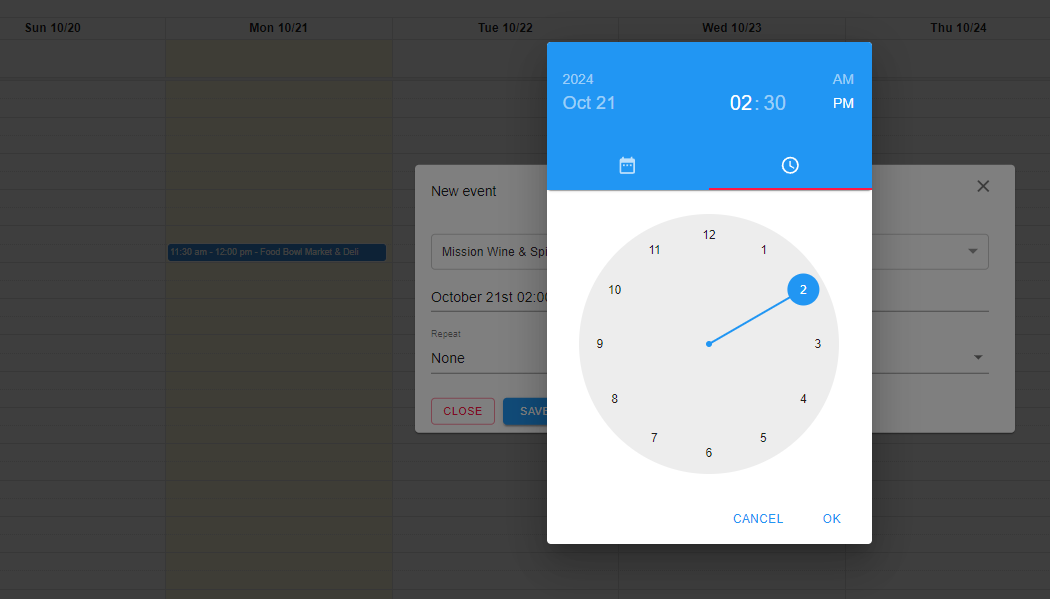
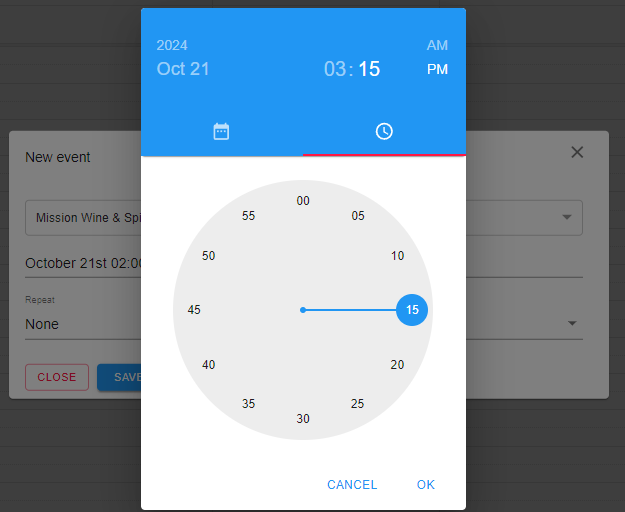
Click on one of the timeslots to change the duration of the visit. First click on a time for the 'hour', and then click on a time for the 'minutes.'
Step 6:
Remember to click Save to complete the process and set the visit's appointment slot.

Comments
0 comments
Please sign in to leave a comment.