
Step 1: Select Deliveries/Dispatch from the lefthand menu.
Step 2: Now select the Routes tab from the options along the top of the window.
Step 3: From the Routes tab, click on the Gear icon where we can review the settings. Make sure the Transaction Type says Invoices, and not Orders. Change it in the dropdown bar if needed, hit Save, and then return to the previous tab.
Step 4: Click on the Calendar dropdown to select a range of dates to pull invoices from. Select two dates, and then click Search.
Step 5: Select the first Customer you'd like to add to your dispatch route.
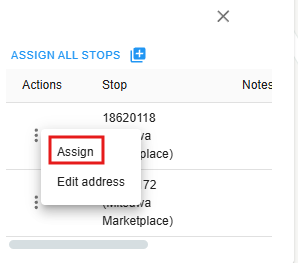
Step 6: If multiple invoices for that customer exist between the range of dates, you can either assign all stops, or select individually. Click on the three dots, and then on Assign.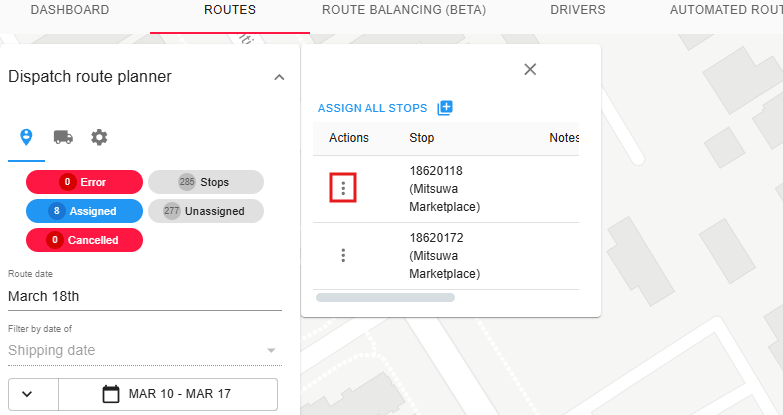
Comments
0 comments
Please sign in to leave a comment.